






 Recommended
Go native Android when
- Most of your users are on Android
- You need Bluetooth, NFC, camera or background services
- It has to run well on low-end phones
- You're building for watches, TVs or kiosks

We help businesses across multiple industries build scalable, secure and future-ready digital products. Our team combines deep technical expertise with industry knowledge to deliver custom software solutions that drive growth.
Let's Talk
Most people in India use Android, and most of those phones aren't flagships. 3 GB of RAM, a storage card that's nearly full, a 4G signal that drops in the lift. Softfix builds native Android apps that still feel quick on that phone, not just on the Pixel in a developer's pocket.
Crash-free sessions
99.7%
Cold start, budget
1.4 s
Sample data · not a client build
Not always. If you need iPhone too and the app is mostly forms, lists and payments, cross-platform will save money. But when Android is your main audience, or the app leans on the hardware, native is worth it.
Recommended
Alternative
Google made Android Kotlin-first back in 2019, and nearly all new Android work we do is Kotlin app development with Jetpack Compose. Java Android app development is still very much alive, though, especially in older codebases, and the two run happily side by side.
| Feature | Kotlin | Java |
|---|---|---|
| Code length | Shorter, less boilerplate | More verbose |
| Crash safety | Null safety built in, fewer crashes | Null-pointer bugs more common |
| Modern UI | Jetpack Compose, coroutines | Older XML layouts, callbacks |
| Existing apps | Can be added gradually | Keep it if it works well |
| Our pick | New projects | Maintaining older apps |
Kotlin and Jetpack Compose apps that feel at home on Android, with proper back-button behaviour and all.
Material Design guidelines · familiar Android feel · your branding
APIs, database, admin panel and cloud hosting. The half of the app users never see.
Google Maps · Razorpay · Truecaller sign-in · WhatsApp · ERP
Real devices across brands and Android versions · automated UI tests
Faster start-up · smaller APK · lower battery use · Android Studio profiling
Play Console setup, data-safety form, content rating, store listing and staged rollouts.
Google raises the target API level every year. We keep you compliant so the app doesn't get pulled.
Field-force and warehouse apps · managed devices · kiosk mode · barcode scanners · offline sync
Older Java apps · maintenance · gradual modernisation · Kotlin migration
Full Android development handled by us · your team stays on iOS, web or business
Code audit · fix-or-rebuild advice · worst crashes first
5-inch budget phones to foldables · adaptive layouts

Two-pane layouts · POS counters · clinics · classrooms · sales presentations

Wear OS apps and tiles · fitness · health alerts · quick actions
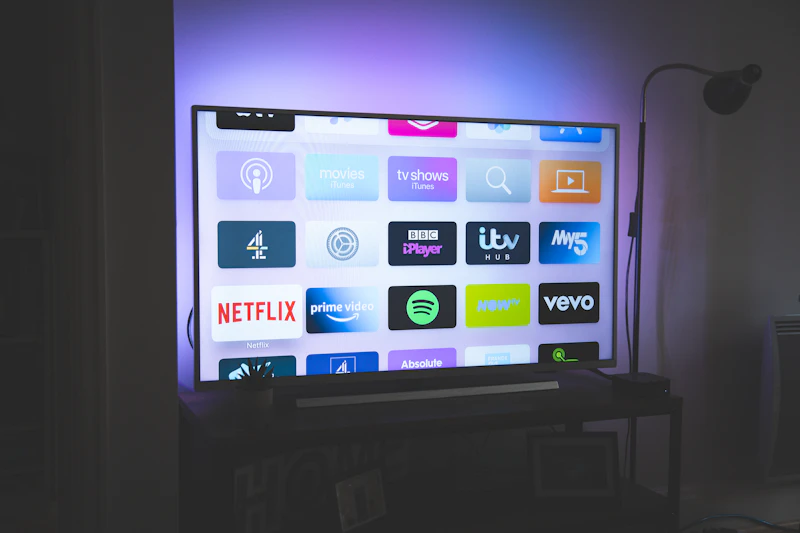
Streaming, digital signage and learning apps navigated with a remote, not a finger.
Built in Android Studio against the latest Android SDK, with the pieces most apps end up needing already worked out.
Auth · Firestore · Remote Config · Cloud Messaging
Segmented · scheduled · not overused
Google Play Billing · subscriptions · digital goods · policy-compliant
UPI intent · cards · wallets · Razorpay, PhonePe, Paytm · physical goods and services
Room database and WorkManager, so data saves locally and syncs later.
Encrypted storage · Play Integrity · obfuscation · secure network calls
Crashlytics · analytics from day one · early issue alerts
Cloud APIs · handles install spikes from campaigns
Title · description · screenshots · A/B listing tests
Figma prototypes · tested on your own phone · before coding

Appointment booking · teleconsults · medicine reminders · ASHA-worker data collection

Shopping apps · loyalty · reorders · tablet POS

Rider apps · route guidance · OTP handover · photo proof · offline mode

Offline video lessons · tests · doubt-solving · parent updates
A typical Android-only business app takes around 10 to 14 weeks from kickoff to Play Store. Here's how that time is spent.
Users, features, target devices and minimum Android version agreed.
Wireframes, then Material-based screens you click through on your phone.
Two-week sprints. A new test APK lands on your phone at the end of each.
Device-lab testing plus a closed track on Play Console with real users.
Staged rollout to 10%, then 50%, then everyone, while we watch crash reports.
Launching in India? Android-first is usually cheaper, reaches most of your users, and Play Store review is faster. Add iPhone once the idea has traction.
Scope my Android MVP

Screens, backend work, integrations and the range of devices you need to support drive most of the cost. These sizes cover the bulk of what we build. You'll get an itemised quote after a call.
Basic
Login, 8–10 screens, notifications and a light admin panel.
 Standard
Payments, offline mode, integrations, analytics and a full backend.
 Advanced
Customer + partner apps, or phone + tablet + Wear OS/TV, with heavy backend work.
Dedicated Kotlin developers who join your team month to month. Good if you already have a product owner and need more hands.
Who will use it, what they'll do, and any devices it must run on. A few lines is fine. We'll reply within a working day.
sales@softfix.in
Phone
+91 81890 10044
Address
1st Floor, CP/140, Viraj Khand-4, Gomti Nagar, Lucknow, Uttar Pradesh 226010
to help our experts understand your business objectives and create your customized plan.
