


Your billing software runs on one office PC. Stock lives in an Excel file that three people edit, and the Access database only opens on the old Windows machine in the corner. When you ask a developer what it would take to move all this online, the desktop to web app migration cost you hear can be anything from ₹50,000 to ₹50 lakh. That gap is confusing, and it stops a lot of owners from acting at all.
This guide makes the number less mysterious. You'll see realistic 2026 price bands in rupees, how Excel, Access and VB6 starting points change the bill, the three ways to migrate, the hidden costs most quotes skip, and a simple way to compare vendors so you pay for what you need.
- Most small and mid-size Indian businesses spend ₹1.5 lakh to ₹20 lakh to move a desktop, Access or Excel system to the web.
- Screens, hidden business rules, data quality and integrations move the price far more than the old technology does.
- Move in phases, run old and new side by side, and keep the code, cloud account and data in your name.
What a Desktop to Web Migration Actually Involves
Moving a desktop program to the web isn't a file conversion. No tool takes your .exe, .accdb or .xlsx file and spits out a working web app. A team studies what the old system does, rebuilds those screens and rules as browser software, moves your data into a server database and then switches your staff over.
That's why the desktop to web app migration cost depends far more on what your system does than on what it's written in. A two-screen stock register is cheap to rebuild. A billing tool with GST rules, dealer schemes, credit limits and twenty printed formats isn't, even if both were built in the same year by the same person.
Think of the desktop to web app migration cost as paying for three things: understanding the old system, rebuilding it properly and moving people and data across safely. Cheap quotes often cover only the middle part.
The good news is that the rebuild is also your chance to fix things. Shared passwords become proper user logins. Copies of files emailed around become one live database. Reports that took a day to pull together can show up on a dashboard each morning.
Signs Your Desktop or Excel System Has Hit Its Limit
Plenty of old systems are fine. If one person uses a tool and nothing breaks, leave it alone. The trouble starts when the business grows around a system that was never meant to grow with it.
Watch for these signs:
- Staff come to the office just to use one PC, or rely on remote desktop tricks that keep failing.
- Two branches keep separate copies of the same data and reconcile them by phone.
- The Excel file is called something like stock_final_v14.xlsx, and nobody trusts the totals.
- The developer who wrote the VB or Access code has moved on, and nobody else can change it.
- Every Windows update is a small crisis because the old program might stop opening.
Platform support is a real reason too. Microsoft's own support statement for Visual Basic 6.0 says the VB6 IDE has been unsupported since April 8, 2008, and it strongly recommends replacing those apps. Access 2021 and Office 2021 also reached end of support on October 13, 2026, according to Microsoft's 2026 lifecycle list. Your old tools won't stop working overnight, but they stop getting security fixes. Waiting doesn't make the desktop to web app migration cost smaller either, because data keeps piling up and the people who understand the old rules keep leaving.
Desktop to Web App Migration Cost in India: 2026 Price Bands
So, what should you budget? The bands below are rounded from prices that Indian and overseas vendors publish on their own sites. They're indicative, not quotes. Your exact desktop to web app migration cost comes from a written scope, but these bands help you spot a quote that's far too low or far too high.
Here's how the price usually grows with scope:
| Scope | Typical example | Indicative cost (INR) | Typical time |
|---|---|---|---|
| One Excel workflow | Order tracker or stock sheet with 1 to 2 roles | ₹50,000 to ₹3 lakh | 3 to 8 weeks |
| Small desktop tool | Access or VB app with 10 to 25 screens and one database | ₹1.5 lakh to ₹6 lakh | 6 to 12 weeks |
| Multi-module business system | Billing, stock, purchase and accounts with 30 to 80 screens | ₹6 lakh to ₹20 lakh | 3 to 6 months |
| Large legacy system | Several departments, 50 to 200 users, many integrations | ₹15 lakh to ₹60 lakh+ | 6 to 18 months |
Takeaway: Most small and mid-size Indian businesses land in the second or third row, so a typical desktop to web app migration cost sits between ₹1.5 lakh and ₹20 lakh.

Why does the desktop to web app migration cost swing so much between quotes? Partly because a ₹60,000 offer usually covers a small, clean tool with simple screens. A ₹15 lakh offer for "the same thing" may include data clean-up, integrations, printing, offline screens, training and a year of support. Always ask what's inside the number.
Two quick examples
Take a Lucknow distributor running billing and stock in an Access database with about 20 screens, 12 reports and two thermal printer formats. Data is fairly clean, and only the head office and one godown use it. That job usually sits in the small desktop tool band, so a desktop to web app migration cost of around ₹3 lakh to ₹5 lakh is realistic.
Now picture a manufacturer with a VB6 program for orders, production and dispatch, plus five linked Excel files, Tally sync and three branches. The rules are undocumented and the original developer is gone. That's a multi-module job, and the desktop to web app migration cost could reach ₹10 lakh to ₹18 lakh, delivered in phases. Same goal, very different work.
What Drives the Desktop to Web App Migration Cost?
Five things move the price more than anything else. Knowing them helps you trim scope before you ask for quotes, rather than after you get a shock. Every one of them shows up in the final desktop to web app migration cost, whether the quote lists it or not.
Screens, reports and print formats
Each form, grid and report has to be rebuilt and tested. Count them. A program with 15 screens and 10 reports is a very different job from one with 60 screens and 45 reports. Custom print formats, like invoices for thermal printers or pre-printed stationery, add more.
Business rules hidden in old code
This is the big one. Discount schemes, GST calculations, commission slabs and stock rules often sit inside button click code, Access queries or Excel formulas. Someone has to dig them out, confirm them with your staff and rebuild them exactly. Badly documented logic is the most common reason a desktop to web app migration cost grows halfway through a project.
Data volume and data quality
Ten years of records with duplicate customers, dates typed as text and three spellings of the same item take real time to clean. A clean database moves in days. A messy one can take weeks of mapping and checking, and that time belongs in the desktop to web app migration cost from the start.
Integrations and hardware
Links to Tally, payment gateways, WhatsApp alerts, SMS, barcode scanners, weighing scales or label printers each need their own work. Desktop apps talk to local hardware easily. A browser needs extra effort for the same job.
Users, branches and offline needs
Role-based access, branch-wise data and approval steps add screens and testing. If some staff must keep working during internet cuts, those screens need offline storage and later sync, which costs more to build well.
Excel, Access or VB6: How Your Starting Point Changes the Price
Your current tool tells a developer a lot about the likely desktop to web app migration cost. A spreadsheet is usually the easiest place to start. An old VB6 or FoxPro program with years of patches is usually the hardest.
This table compares the common starting points:
| Starting point | What's usually hiding inside | Main effort | Relative cost |
|---|---|---|---|
| Excel or Google Sheets | Formulas, colour codes, manual copy-paste steps | Turning formulas into rules, cleaning rows | Lowest |
| MS Access | Tables, saved queries, VBA in forms and reports | Moving data to a server database, rebuilding forms | Low to medium |
| VB6, FoxPro or Delphi | Years of business logic in compiled code, local hardware links | Reading old code, rebuilding rules and printing | Medium to high |
| WinForms or older .NET | Logic mixed with screens, SQL Server database | Reusing the database, rebuilding the front end | Medium |
Takeaway: If your database is solid, you'll save money by keeping it and rebuilding only the screens around it.
An Excel to web app project usually carries the lowest desktop to web app migration cost and is often the quickest win. Your columns become forms, your formulas become rules, and everyone works on the same live data with a log of who changed what. You can still export to Excel when the accountant asks.
Access systems sit in the middle. Their data moves well to SQL Server, PostgreSQL or MySQL, but the VBA behind forms and reports needs a careful read. For a typical Access tool, the desktop to web app migration cost is mostly screen rebuilding and testing rather than data work.
A VB6 to web migration needs more care. Since the source code may be incomplete or lost, the team may have to work out rules by watching the program and comparing its outputs. Budget extra time for that discovery, because skipping it is how wrong totals reach your customers. It's also the main reason VB6 projects sit at the higher end of the desktop to web app migration cost range.

Rebuild, Wrap or Replace: Picking a Migration Approach
There isn't one right way to modernise. The approach you choose has a bigger effect on cost and risk than the technology stack does. Most legacy software modernization India projects fall into one of three routes.
| Approach | What it means | Best for | Cost and risk |
|---|---|---|---|
| Full rebuild | New web app, data moved, old program retired | Most business tools with clear rules | Higher upfront, cleanest result |
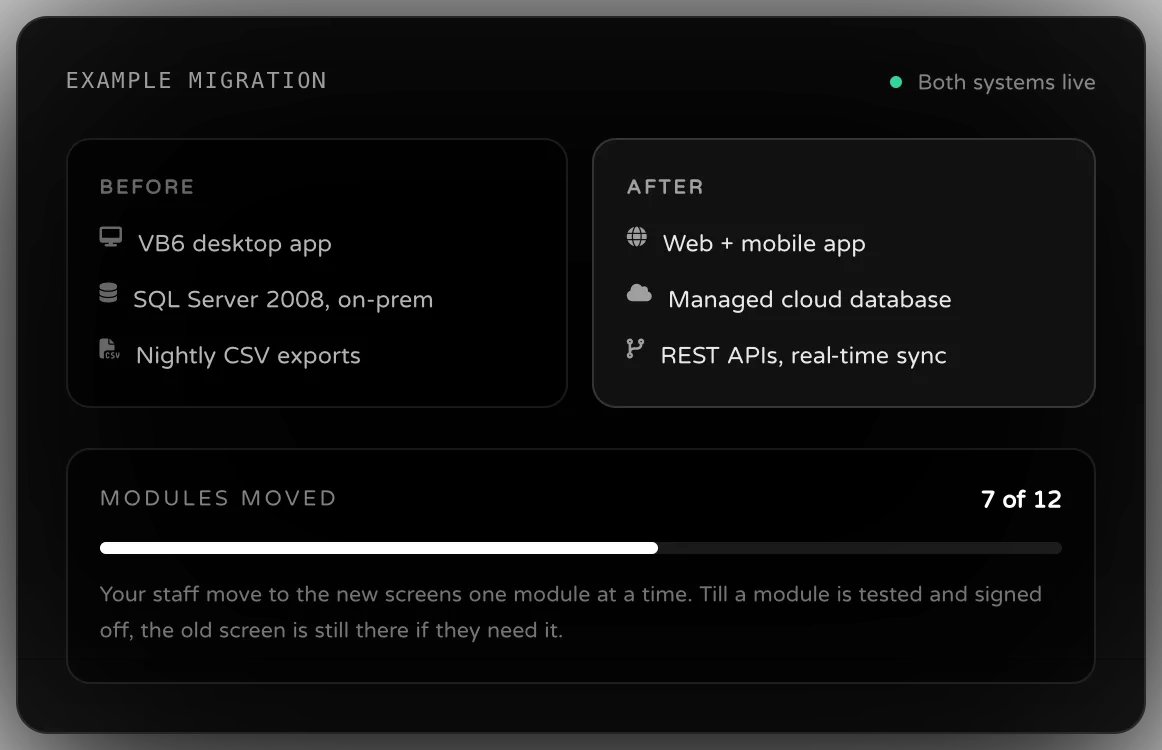
| Wrap and extend | Keep the database, add an API and new web screens step by step | Large systems that can't stop | Lower first phase, two systems for a while |
| Replace with SaaS | Move to a ready product and migrate data | Common jobs like basic accounting or CRM | Low build cost, monthly fees, less control |
Takeaway: A full rebuild suits most small systems, while big systems are safer to wrap and move in slices.
The wrap approach is sometimes called the strangler pattern. You put a web layer on the same database, move one module at a time, and switch off the old screens once each new one is proven. It spreads the desktop to web app migration cost across financial years and keeps the business running.
Replacing with an off-the-shelf product can be the cheapest option when your process is standard. If you're weighing that path, our guide on custom software vs off-the-shelf software walks through the trade-offs. Custom wins when your rules, formats or workflow are what set you apart. Whichever route you take, ask for the desktop to web app migration cost of each option side by side before you decide.
Data Migration, Security and DPDP Basics
Data is where migrations quietly succeed or fail. A good team profiles every table, agrees a mapping with your staff, fixes data types and runs trial imports into a test system. Then they reconcile counts and totals, such as sales per month, balances per customer and stock per item, against the old system. Data work can take a big share of the effort on older systems, so check that it's a separate line in your desktop to web app migration cost quote, not a vague promise.
Security changes completely once you move online. A desktop app on a LAN was only exposed to people inside your office. A web app faces the internet, so it needs proper logins, role-based access, encrypted connections, backups and testing against the risks in the OWASP Top 10. Ask any vendor how they test for those risks before launch. A quote that's far below others may simply have left security testing out of the desktop to web app migration cost.
If your system holds customer, patient or employee details, India's Digital Personal Data Protection Act, 2023 applies. A rebuild is a good moment to collect only the data you need, record consent where it's required and keep an audit trail of who viewed or changed records. Old spreadsheets rarely do any of that well.

Timeline and a Phased Rollout Plan
Most migrations follow the same five phases, whatever the size. The time spent in each phase shrinks or stretches with the scope, but skipping a phase almost always costs more later.
Here's a typical plan for a small to mid-size system:
| Phase | What happens | Typical time |
|---|---|---|
| 1. Discovery | List screens, reports, rules, users and data sources | 1 to 3 weeks |
| 2. Scope and design | Written scope, screen mock-ups, fixed price | 1 to 2 weeks |
| 3. Build in slices | Modules built and shown every week or two | 4 to 16 weeks |
| 4. Data import and parallel run | Trial imports, then old and new run side by side | 2 to 4 weeks |
| 5. Switch-over and training | Staff move over, old system kept read-only | 1 to 2 weeks |
Takeaway: Plan for a parallel run of at least two weeks, because that's where wrong totals get caught before customers see them.

A phased rollout also spreads the desktop to web app migration cost. You might move reports first so managers get remote access, then billing, then stock. Each module goes live on its own, and you only pay for the next one once the last one works. Owners who go this way rarely see a nasty surprise in the final desktop to web app migration cost.
Running Costs After Go-Live
The desktop to web app migration cost is a one-time spend, but a web app isn't free to run. Many owners compare a quote against "nothing", because the desktop software is already paid for. That isn't a fair comparison once you count the hours lost to the old system.
A better test is to add up three years. Put the desktop to web app migration cost, plus three years of hosting and support, against what the old setup costs you in staff time, double entry, errors, remote desktop fixes and missed sales. For many growing firms the web app pays for itself well inside that window, but run the numbers for your own case.
These are the costs to plan for each year:
| Cost item | What it covers | How it's usually priced |
|---|---|---|
| Cloud hosting | Server, database, storage and backups | Monthly, grows with users and data |
| Support and maintenance | Bug fixes, security updates, small changes | Monthly retainer or a yearly contract |
| Third-party services | SMS, WhatsApp, email, payment gateway fees | Per message or per transaction |
| Domain and SSL | Web address and secure certificate | Yearly, usually small |
| New features | Fresh modules or reports later | Quoted per change |
Takeaway: Ask every vendor for a yearly running estimate next to the build quote, so you compare the full desktop to web app migration cost and not just the first bill.
Ownership matters here too. Make sure the code, the cloud account and the database are in your company's name from day one. If you'd like to see how hosting choices affect cost, our cloud application development page explains the usual setups.
Choosing a Migration Partner and Avoiding Costly Mistakes
Pick a partner who asks a lot of questions before quoting. If someone gives you a fixed price after a five-minute call, they've either guessed or left things out. A short paid discovery is often the cheapest insurance you can buy, and it turns a guessed desktop to web app migration cost into a number you can plan around.
When quotes arrive, line them up against the same scope. Check which screens, reports, integrations and data tasks each one includes, and what happens to the price if the scope grows. The lowest number is only the cheapest if it covers the same work.
Here are the mistakes we see most often:
Common mistakes to avoid
- ✗ Moving every screen as it is, including features nobody has used in years.
- ✗ Skipping the parallel run to save two weeks.
- ✗ Leaving data clean-up out of the quote, then paying for it later.
- ✗ Forgetting printers, scanners and other hardware until the week of launch.
- ✗ Letting the vendor host everything in their own account.
Get these in writing before you sign:
Quick checklist
- ☐ A screen-by-screen scope
- ☐ The integration list with costs
- ☐ How data will be moved and checked
- ☐ Milestone-based payments
- ☐ Who owns the source code
- ☐ Warranty length
- ☐ Yearly support terms
A partner who's comfortable putting all of that on paper is usually one you can work with.
To see how Softfix handles these projects, look at our software modernization services and our wider web application development work. For broader price context, our guide to custom software development cost in India covers how teams price new builds.

Get a Screen-by-Screen Migration Estimate
If you are ready to move your desktop, Access or Excel system online, start with a list of the screens and reports your team uses, a sample of your data, the printers or devices it talks to and what goes wrong today. A short brief like that gives any qualified team enough context to give you an honest, like-for-like quote.
Conclusion: Move the System That Hurts Most First
You don't have to move everything at once. Start with the tool that wastes the most time or carries the most risk, whether that's a shared Excel file, an Access database or an old VB6 program on one PC.
Your desktop to web app migration cost depends on screens, hidden rules, data quality, integrations and the approach you choose. For most small and mid-size Indian businesses, that means somewhere between ₹1.5 lakh and ₹20 lakh, spread across phases. Plan a parallel run, keep ownership of your code and data, and compare the full desktop to web app migration cost, including running costs, not just build quotes.
If you'd like a clear, screen-by-screen estimate for your own system, talk to the Softfix team. Share what you use today and what's going wrong, and we'll help you work out what to move first.
Keep reading: Custom software vs off-the-shelf software · How to choose a custom software development company · Custom ERP for small manufacturing
Related articles
 Software Development
Software Modernization
Modernize legacy applications with Softfix. Upgrade outdated software through cloud migration, architecture modernization, performance improvements and security enhancements.
Learn more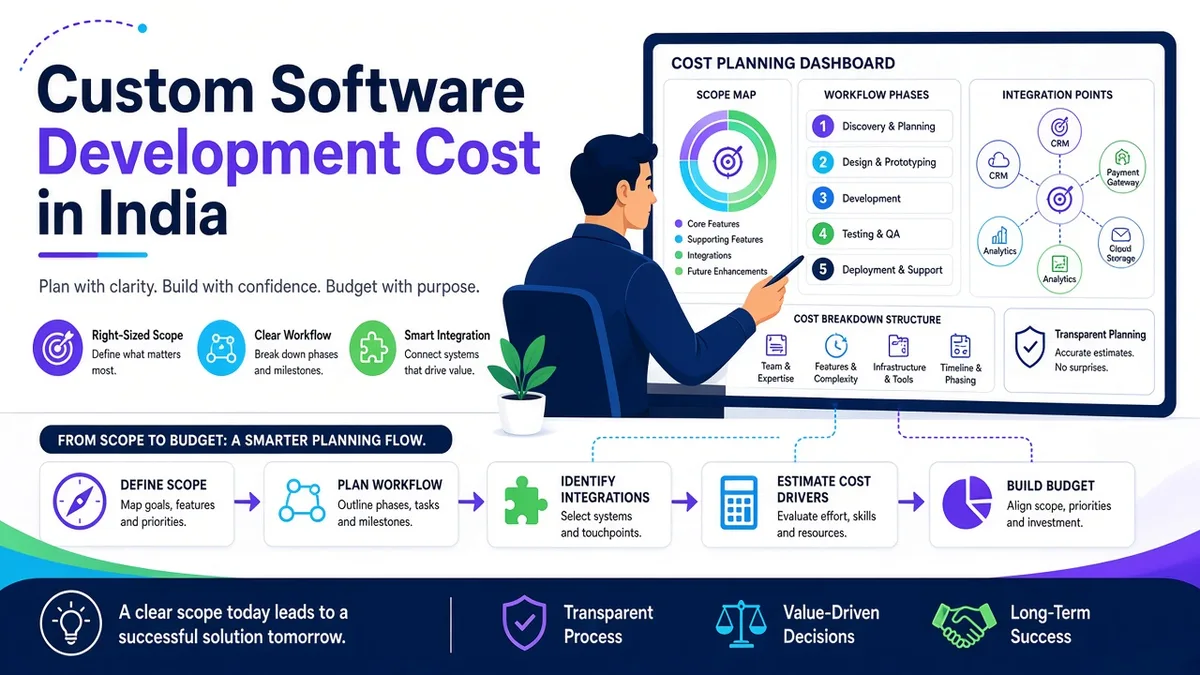 Articles
Custom software development cost in India
Learn what custom software costs in India, from MVPs to enterprise systems. See price ranges, cost factors and ways to save before you hire.
Learn more Articles
Custom software vs off-the-shelf software
Compare custom and off-the-shelf software on cost, speed, security and scalability. Use our checklist to decide what fits your business.
Learn more Articles
How to choose a custom software development company
Use this checklist to compare software vendors on experience, pricing, code ownership and support. Includes red flags and questions to ask.
Learn more