


Your agency has ten clients who all want "an app like the big brands have." Building ten separate apps would take years and cost a fortune. Selling one app under ten different brands sounds much better. That is the promise of white label app development: build once, then rebrand and resell many times. But the deals vary a lot. Some vendors rent you a finished app. Others build a platform you own. Apple and Google also have rules that can sink a careless plan.
This guide is for agencies, franchise networks and resellers. You'll learn what white label means, how it compares with custom apps and no-code builders, what it costs in US dollars, how licences and source code work, how app store publishing works, and what to check before you sign.
- "White label" can mean licensing a vendor's app, owning a multi-brand platform, or one shared app with many brands inside. Each costs and works differently.
- In our 2026 estimates, a licence costs about $100 to $2,000 a month per brand, while an owned platform usually costs $40,000 to $180,000 to build.
- Apple guideline 4.2.6 and Google Play's repetitive content policy decide how you publish, so plan client developer accounts or a picker app before you build.
What Is White Label App Development?
A white label app is software that one company builds and other companies sell or use under their own brand. The end user sees your client's name, logo and colours. They never see the company that built it. Think of a supermarket's own-brand cereal made in someone else's factory.
White label app development is the work of building an app so it can be rebranded easily. Instead of hard-coding one name and one colour scheme, the team keeps brand details in settings. A new brand then becomes a set of files and options, not a new project.
People use the same phrase for three different deals, and each one costs and works differently. Before you ask anyone for a price, decide which one you mean.
| What people mean | What you get | Who pays for the build |
|---|---|---|
| Licence a ready-made app | A vendor's existing app with your logo, colours and content | The vendor, who recovers it through fees |
| Own a multi-brand platform | One codebase you own, set up for each client brand | You, up front |
| One app with many brands inside | A single store app where users pick their gym, school or venue | You or the vendor |
The first option suits agencies that want to resell fast. The second suits software firms and franchise groups that want a product they own. The third is often overlooked, yet app store rules push many projects toward it, as you'll see later.
Takeaway: "white label" can mean renting, owning or sharing one app. Agree on which model you are buying before you compare any quotes.
White Label vs Custom App vs No-Code Builder
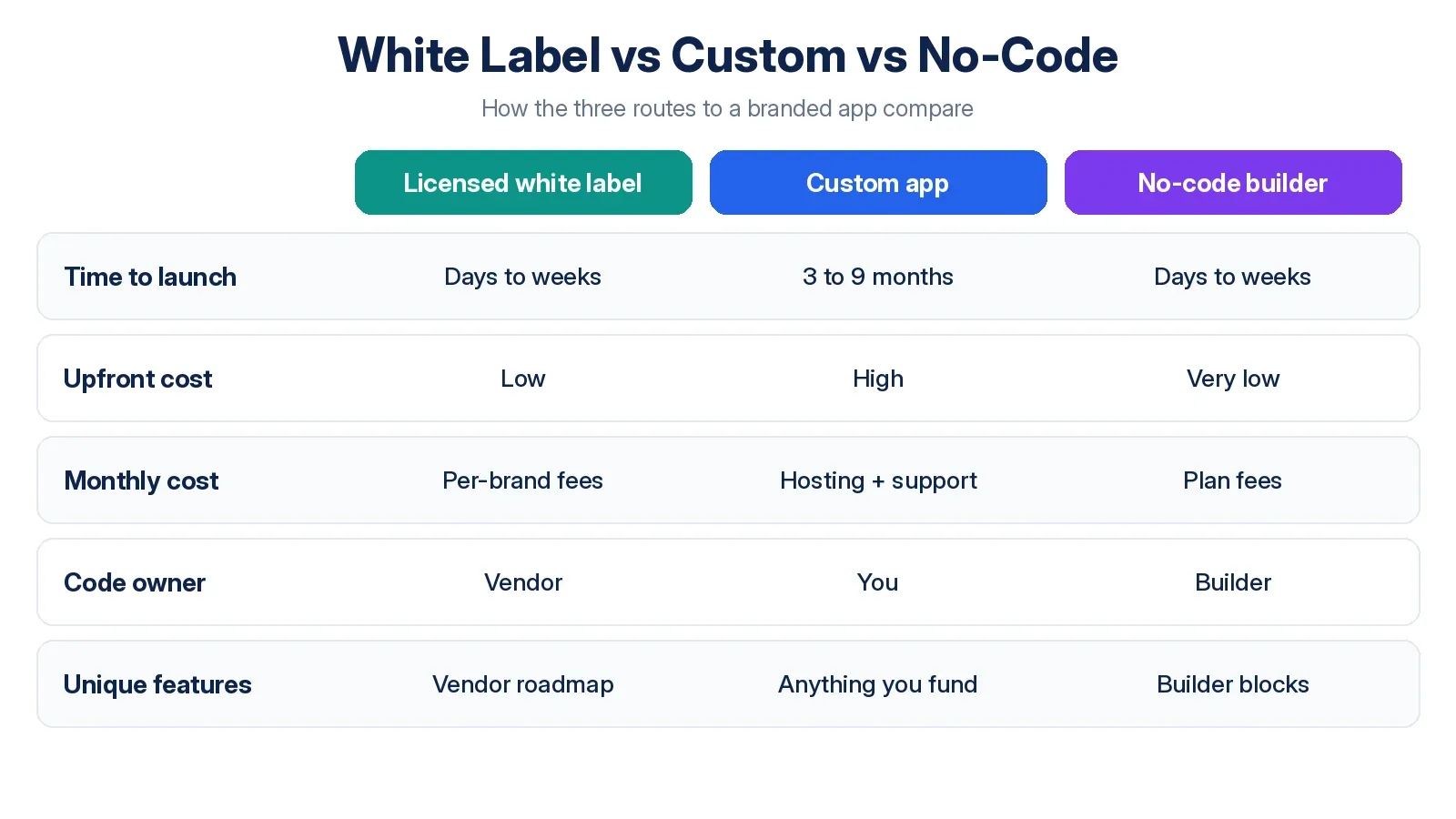
White label app development sits between two other routes. A fully custom app is built for one business, from scratch, around its exact workflow. A no-code builder lets you drag and drop screens yourself, often with a "white label" plan that hides the builder's brand.
Each route trades speed, control and cost in a different way. Our guide to custom vs off-the-shelf software covers the same trade-off for business systems. For apps, here is how the three compare.
| Factor | Licensed white label app | Custom app (one brand) | No-code builder (white label plan) |
|---|---|---|---|
| Time to first launch | Days to a few weeks | 3 to 9 months | Days to weeks |
| Upfront cost | Low | High | Very low |
| Monthly cost | Per brand fees, ongoing | Hosting and support | Plan fees, often per app |
| Who owns the code | The vendor | You | The builder |
| Unique features | Limited to the vendor's roadmap | Anything you can fund | Limited to the builder's blocks |
| Best for | Agencies reselling a common app type | A business whose app is its product | Simple content, booking or community apps |
Licensed white label app development wins when your clients all need roughly the same thing, such as a loyalty app for cafes or a class booking app for gyms. Custom work wins when the app is the business itself. A builder wins for small budgets and simple apps, as long as you accept its limits.
There is also a fourth path. You can commission a custom white label app development project, so you own a platform that you then rebrand for every client. It costs more at the start, but you keep the margin and the code.
Takeaway: pick a licence for speed, a builder for tiny budgets, and owned white label app development when you plan to sell the same app to many clients for years.
White Label App Development Cost in 2026
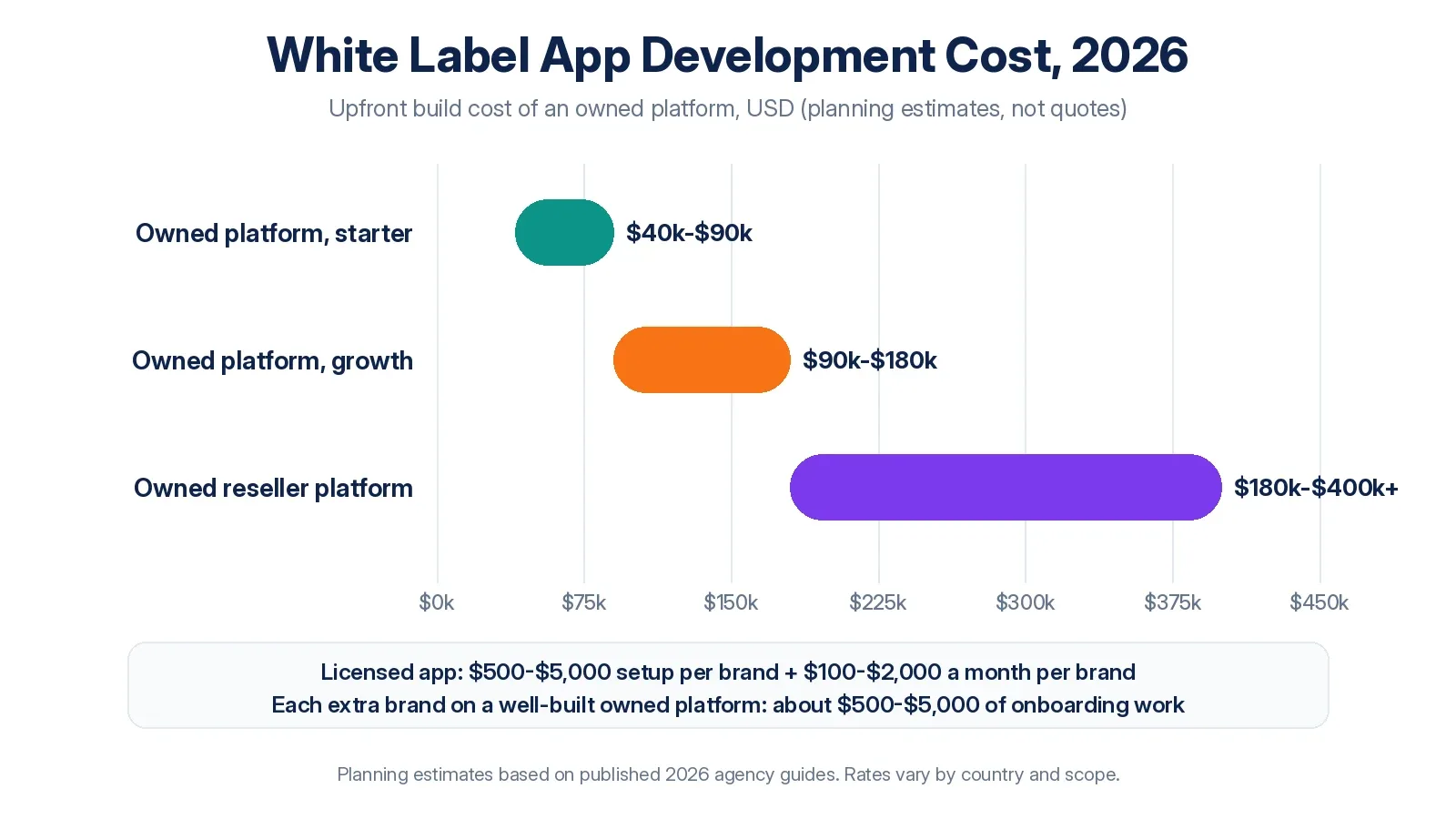
The honest answer is that cost depends on which model you choose and how much each brand can change. The figures below are our planning estimates in US dollars, based on the published 2026 guides we reviewed from app agencies. They are not quotes. Rates also vary a lot by country, which our guide to offshore software development rates by country explains.
| Route | Typical scope | Upfront cost (USD, estimate) | Ongoing cost (USD, estimate) |
|---|---|---|---|
| Licence a ready-made app | Your branding on the vendor's app | $500 to $5,000 setup per brand | $100 to $2,000 a month per brand |
| No-code builder, white label plan | You build screens from blocks | $0 to $2,000 of your own setup time | $50 to $500 a month, often per app |
| Owned platform, starter | One cross-platform app, theming, shared backend, manual store builds | $40,000 to $90,000 | 15% to 20% of build cost a year |
| Owned platform, growth | Brand admin panel, feature toggles, per-brand data separation | $90,000 to $180,000 | 15% to 25% of build cost a year |
| Owned reseller platform | Self-serve onboarding, billing per brand, automated store builds | $180,000 to $400,000+ | A small in-house or agency team |
Most of the cost lands on the first brand. Each extra brand is much cheaper, because you mostly change settings, artwork and store listings. In our estimate, onboarding a new brand on a well-built platform takes about $500 to $5,000 of work. If every new client needs code changes, that number climbs fast and your margin shrinks.
If you want to test demand for white label app development first, start smaller. A first version with one or two pilot clients can follow the same logic as our guide to the cost to build an MVP. Prove that clients will pay, then add the admin panel and automation.
Takeaway: white label app development costs most for the first brand. Judge a platform by what each extra brand costs you, not just by the build price.
Pricing Models: One-Time, Licence and Revenue Share
In white label app development, how you pay matters as much as how much you pay. Vendors use three main models, and many mix them.
A one-time fee means you pay to have the platform built or bought outright. You then own it, run it and pay for support separately. A licence means you pay setup and then a monthly or yearly fee, usually per brand, per active user or per location. A revenue share means the vendor takes a cut of what your clients pay you, or of sales made inside the app.
Here is how the three models compare for a reseller.
| Model | How you pay | Good for | Watch out for |
|---|---|---|---|
| One-time fee | Build or buy cost up front, then support | Firms that want to own the product | Large first cheque; you carry upkeep |
| Licence | Setup fee, then monthly or yearly per brand | Agencies starting fast with low risk | Fees grow with every client; price rises |
| Revenue share | A percentage of client fees or app sales | Vendors and buyers who want aligned goals | Hard to audit; costly once you scale |
| Hybrid | Lower build fee plus a smaller licence or share | Splitting risk between both sides | Complex contracts and exit terms |
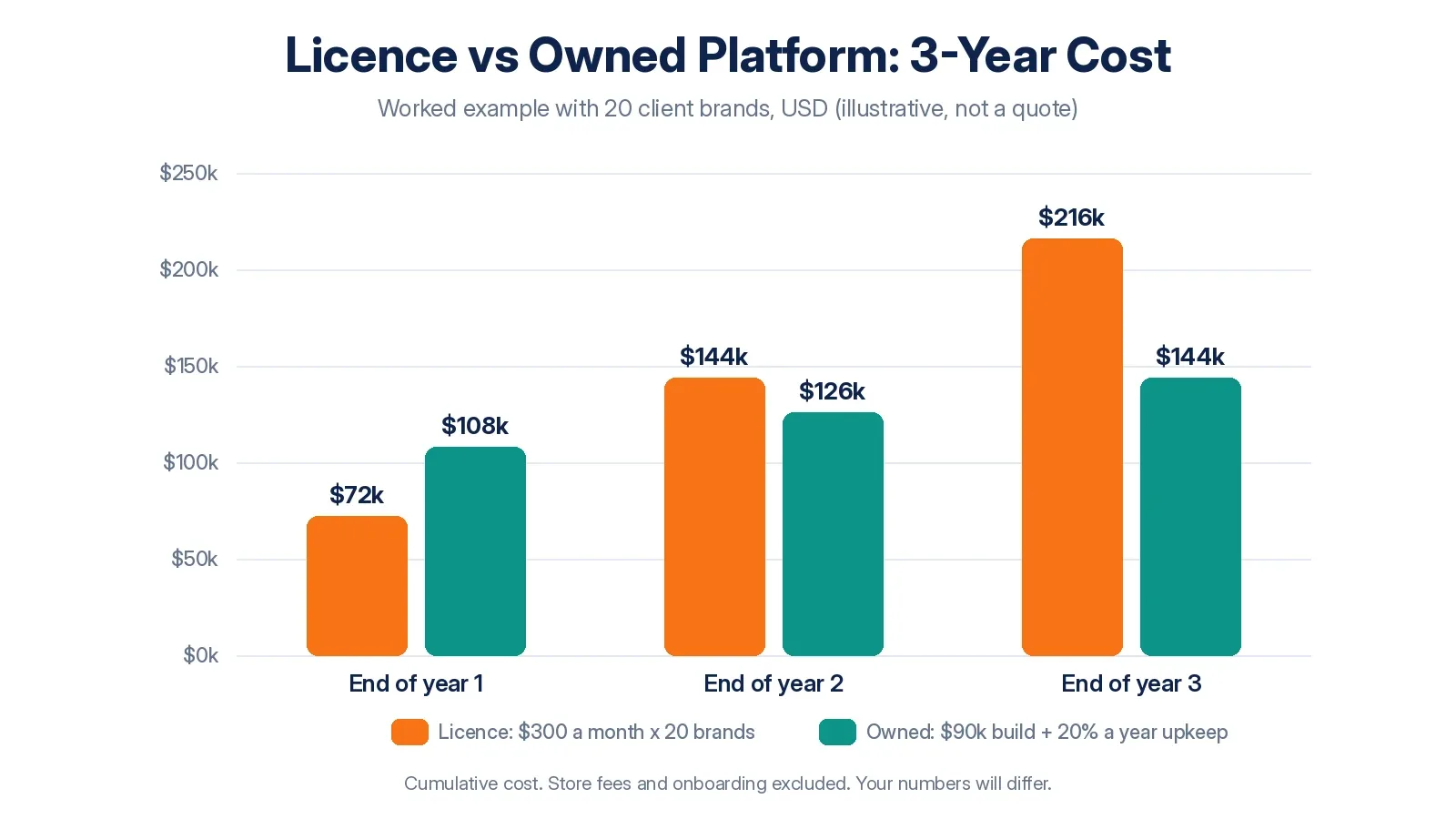
Run the white label app development numbers for year three, not month one. Say a licence costs $300 a month per brand. With 20 clients that is $72,000 a year, every year. A platform you own might cost more than that to build, but it stops growing with every new client. Work out where the lines cross for your own client count.
Takeaway: a licence is cheap to start and expensive to scale. Owning the platform costs more early but pays off once you have enough paying brands.
Licensing, Ownership and Source Code
Ownership is where most white label app development deals go wrong. With a licensed app, you almost never own the code. You own your brand, your content and, if the contract says so, your customer data. The vendor owns the software and can change it, raise prices or shut it down.
With owned white label app development, the contract should say plainly that the source code, designs and documentation become yours once you pay. Ask for the code to sit in a repository your company controls from the first week. Ask for the build scripts and setup notes too, so another team could take over.
Some white label app development vendors offer a middle ground: a source code licence. You get a copy of the code and the right to change it, but not the right to resell the code itself. That can work, as long as the terms match what you plan to do.
Check these points in any white label app development contract:
- Code: who owns it, and do you get a full copy with build instructions?
- Data: who owns end-user data, and in what format can you export it?
- Brand accounts: are the app store listings in your client's name or the vendor's?
- Exit: what happens to live apps if you stop paying or the vendor closes?
- Escrow: for licensed code, is there a code escrow agreement that releases it if the vendor fails?
- Exclusivity: can the vendor sell the same app to your direct competitors?
Takeaway: treat the contract as part of the product. If it does not cover code, data, store accounts and exit, the cheapest white label deal can become the most expensive one.
Publishing to the App Store and Google Play
Publishing is the part of white label app development many buyers learn about too late. Apple and Google both limit near-identical apps, and their rules shape how your project has to work.
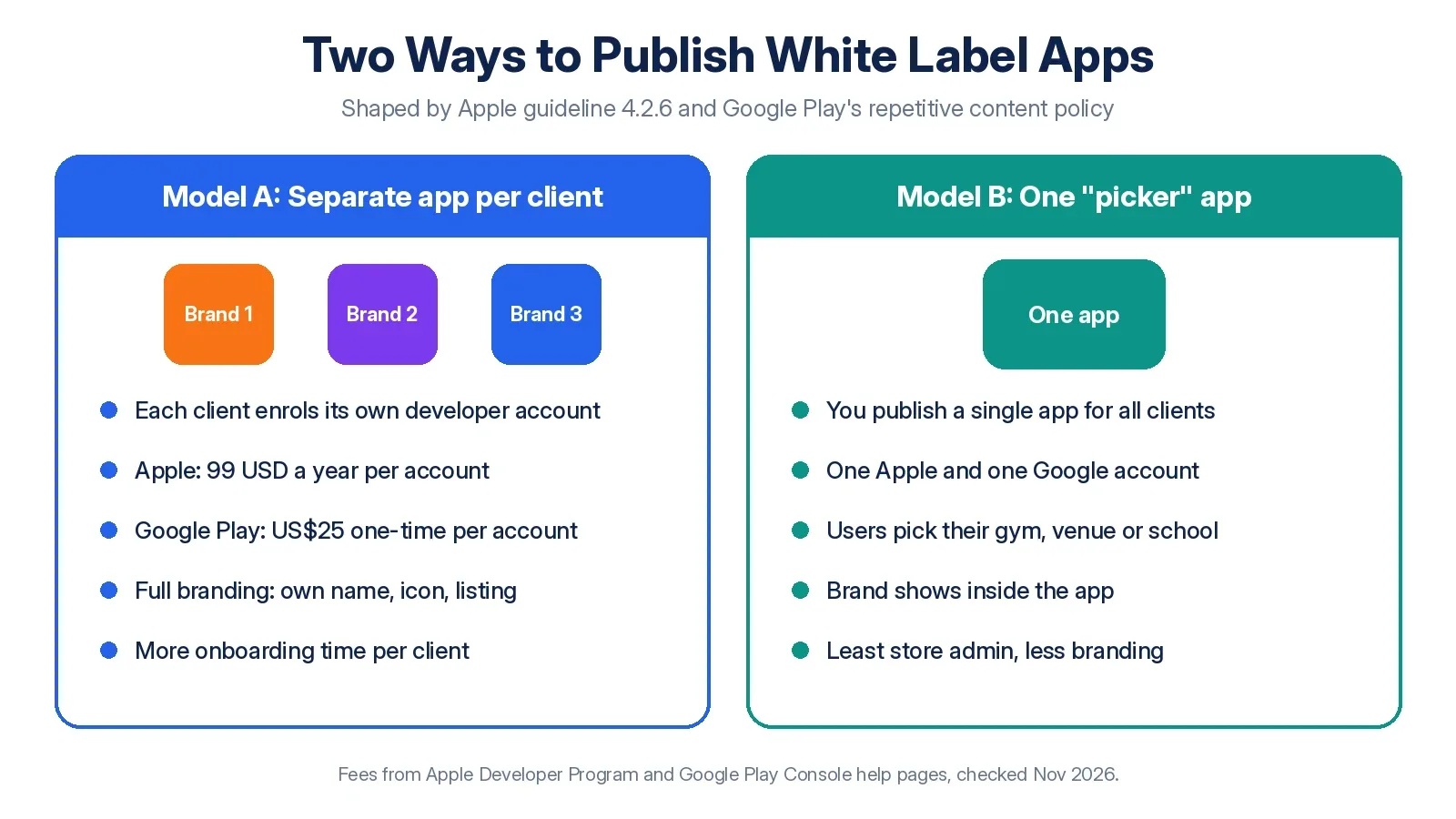
Apple's App Review Guidelines cover this in guideline 4.2.6. Apps made from a commercial template or app generation service are rejected unless they are submitted directly by the provider of the app's content. In plain words, your gym client should publish its own app, under its own developer account. The template company should not submit apps on behalf of clients. Apple also allows a second option: one app that hosts all clients in a "picker" model, such as one event app with a page for each event. Guideline 4.3 adds that you should not create many Bundle IDs of the same app.
Google Play has a similar rule. Its spam policy on repetitive content bans apps that merely copy the experience of other apps. It lists "creating multiple apps with highly similar functionality, content, and user experience" as a common violation.
That gives white label app development two workable publishing models. In the first, each client gets its own developer account and its own app. In the second, you publish one app and clients appear inside it. Here is what each costs per brand.
| Item | Separate app per client | One "picker" app for all clients |
|---|---|---|
| Apple Developer Program | 99 USD per year, per client account | 99 USD per year, one account |
| Google Play registration | US$25 one-time, per client account | US$25 one-time, one account |
| Account setup | Client enrols; organisations need a D-U-N-S number for Apple | One-time setup by you |
| Store review risk | Lower if each app is clearly the client's own and has unique value | Low; one app to keep approved |
| Branding | Full: own name, icon and listing | Shared app name; brand shown inside |
The fees come from Apple's Developer Program page and Google's Play Console registration help. Apple's help pages also say organisations need a D-U-N-S number to enrol, while individuals do not. The real cost is time. Getting each client enrolled, verified and set up with access for your team can take days, so build that into your onboarding plan.
Takeaway: plan your store model before you build. Separate apps need each client's own developer account. One picker app avoids that work but gives up some branding.
What You Can and Cannot Customise
Every white label app development platform has a line between what brands can change and what stays the same. Knowing where that line sits saves arguments later. Good white label app development puts as much as possible into settings, so most requests never need a developer.
| Layer | Examples | Who changes it | Typical effort |
|---|---|---|---|
| Branding | App name, icon, logo, colours, fonts, splash screen | Your team or client, through settings | Hours |
| Content and settings | Menus, prices, opening hours, text, push messages | Client admin panel | Minutes |
| Feature toggles | Turn loyalty, booking or chat on or off per brand | Your team, through a switch | Hours |
| Custom modules | A new payment provider or one client's special workflow | Developers | Days to weeks |
| Forked code | A separate copy of the app for one client | Developers, forever | Ongoing cost and risk |
The bottom row is the biggest trap in white label app development. Forking means copying the code for one client and changing it. It feels quick, but every bug fix and OS update then has to be done twice, then three times, then twenty. Push hard to turn special requests into settings or feature toggles that every brand can use.
Set the white label app development rules with clients up front. Tell them what is included, what counts as a custom module, and what it costs. Then your sales team cannot promise things the platform cannot deliver.
Takeaway: sell configuration, price custom modules, and avoid forks. The fewer code paths you maintain, the more profit each brand brings.
How to Choose a White Label App Development Company
The right white label app development partner has built multi-brand products before and can explain the trade-offs without jargon. A good white label app development company will ask about your clients, your sales model and your store plan before it talks about screens.
Our guide on how to choose a custom software development company covers the general checks. For white label app development projects, add these.
Before you ask for quotes, run through this list with every vendor:
Quick checklist
- ☐ Show me two live white label apps you run, with more than one brand on each.
- ☐ Explain how you add a new brand, step by step, and how long it takes.
- ☐ Tell me which publishing model you recommend under Apple guideline 4.2.6, and why.
- ☐ Confirm who owns the code, data and store accounts, in writing.
- ☐ Show the brand admin panel and the feature toggle list.
- ☐ Describe your plan for yearly iOS and Android updates across all brands.
- ☐ Give a price for the first brand and a price for each extra brand.
- ☐ Share the exit plan if we part ways.
Ask each white label app development vendor the same questions and compare answers side by side. The cheapest white label app development quote often skips the admin panel, store automation or update plan, and you pay for those later.
Takeaway: choose a partner by how cheaply and safely they add brand number ten, not by how fast they can demo brand number one.
Red Flags in White Label App Deals
Most white label app development problems show up months after launch, once clients are live and switching is painful. Here are the mistakes we see most often, and the warning signs that go with them:
Red flags to watch for
- ✗ The vendor plans to publish every client's app from its own developer account.
- ✗ The contract says nothing about source code, data export or what happens when you leave.
- ✗ "Unlimited customisation" is promised for a fixed monthly fee.
- ✗ Each new client is handled by copying the code into a new project.
- ✗ The demo shows one brand only, with no admin panel for brand settings.
- ✗ Prices can rise at any time, with no cap or notice period.
- ✗ Nobody can explain how OS updates will be tested across every brand.
If you spot two or more of these, slow down. Ask for changes in writing, or walk away. A delay now is far cheaper than moving 30 live client apps later.
Takeaway: in white label app development, the warning signs are usually in the contract and the store plan, not the design. Read both before you sign.

Get a Free White Label App Estimate
If you are ready to price a white label app, send us a short brief: the type of app, how many client brands you expect in year one, the features each brand needs, your platforms and your preferred publishing model. That is enough for us to suggest the right model, a cost in USD for the first brand and each extra brand, and a realistic timeline.
Conclusion: Buy the Model, Not Just the App
White label app development can turn one product into many revenue streams. It works best when you decide the model first. Licence a ready-made app if you need speed and low risk. Use a no-code builder for small, simple apps. Invest in an owned platform when you plan to serve many brands for years and want to keep the code and the margin.
Whatever you choose, plan the store model around Apple's 4.2.6 rule and Google's repetitive content policy. Get code, data, accounts and exit terms in writing. Price the first brand and every extra brand separately, and keep special requests out of forked code.
Want a clear estimate for your white label app development project? Talk to our mobile app development team and we'll help you pick the right model, platform and store plan. If you are building a subscription product for many clients, see our SaaS product development services too.
Keep reading: Cost to build an MVP · Custom software vs off-the-shelf software · Offshore software development rates by country · Food delivery app development cost · Cost to build a marketplace app · LMS development cost · SaaS development cost
Related articles
 Articles
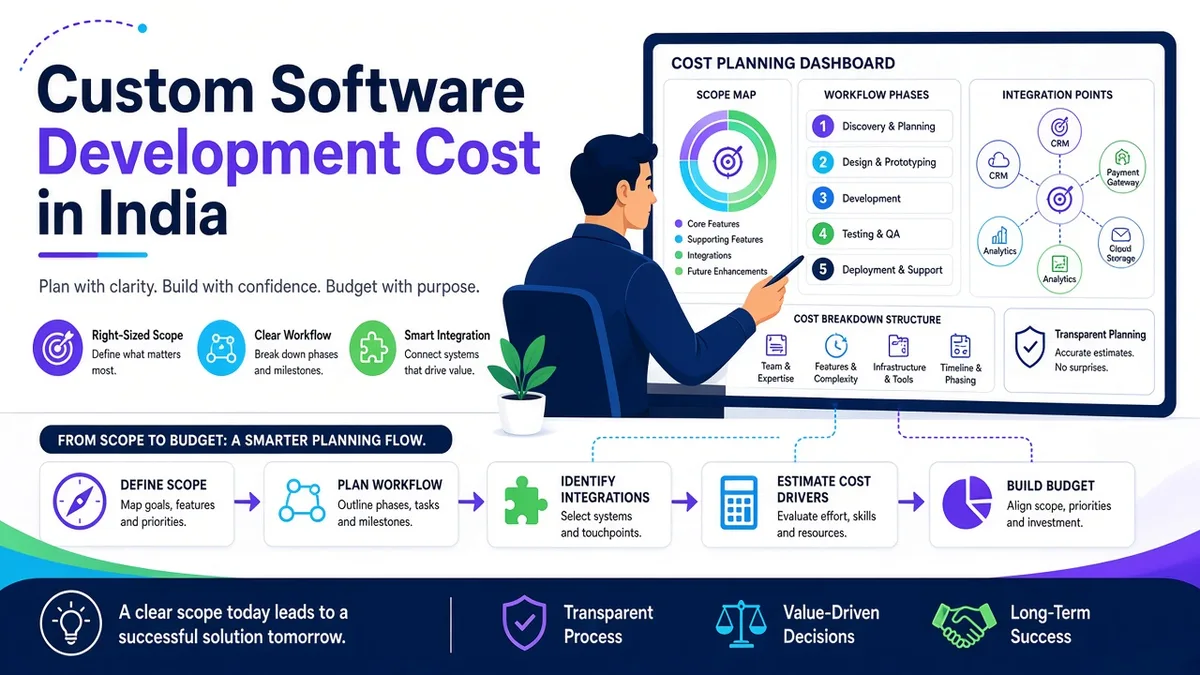
Custom software development cost in India
Learn what custom software costs in India, from MVPs to enterprise systems. See price ranges, cost factors and ways to save before you hire.
Learn more Articles
Custom software vs off-the-shelf software
Compare custom and off-the-shelf software on cost, speed, security and scalability. Use our checklist to decide what fits your business.
Learn more Articles
How to choose a custom software development company
Use this checklist to compare software vendors on experience, pricing, code ownership and support. Includes red flags and questions to ask.
Learn more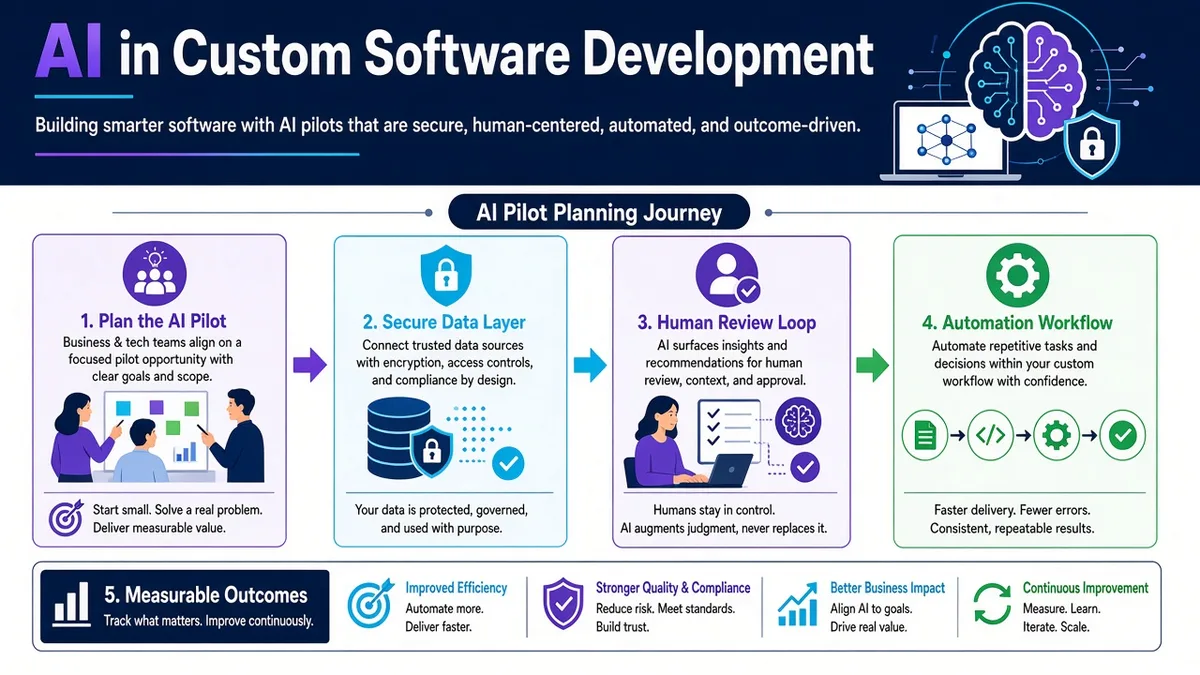 Articles
AI in custom software development
See where AI adds real value in custom software, from chatbots to automation. Learn costs, risks and how to start with a small pilot.
Learn more